The Latest Technologies in IT Solutions for Businesses on Long Island, NY

Do you own a business on Long Island or in NYC? If so, it’s essential to stay abreast of the latest technology solutions for businesses in NY. As technology rapidly evolves, your IT solutions will need to adapt and grow accordingly. Choosing a comprehensive, proactive MSP like LI Tech Solutions is essential. If your IT partners are unable to adapt quickly enough to changing trends, your business could fall behind competitors.

What emerging technologies for IT solutions in businesses in NYC should you keep an eye on? In this article, we’ll take a look at the latest technology solutions for businesses in NY.

Emerging Technological IT Solutions for Businesses on Long Island and NYC

Your business may or may not be working with these emerging technologies yet. However, the future of technology is rapidly evolving, and new innovations are transforming the way we live and work at an unprecedented rate. Evaluating the role these technologies might play in your business is a great way to stay ahead of the curve. That’s why it’s essential to partner with an MSP that stays ahead of current trends, such as LI Tech Solutions. Let’s take a look at what tomorrow might hold for businesses on the cutting edge of technological advances.  

Callout 1: quote from text about MSP LI Tech Solutions for best technology solutions business

Artificial Intelligence and IT Solutions for Businesses on Long Island and NYC

What can AI do for your business? It likely has the potential to streamline your processes and reduce mindless, repetitive tasks for your employees. Some industry watchers tend to worry that AI will replace humans in the workforce. However, AI’s role in the workforce doesn’t have to be destructive – it can be liberating instead. When meaningless tasks are outsourced to computers, humans are free to innovate, be creative, collaborate, and build meaningful relationships.

Advanced Blockchain Solutions for Businesses on Long Island & New York City

What is a “blockchain,” anyway? In the simplest terms, a blockchain is a database, but it’s different from traditional databases in some important ways. Information is shared among the nodes of a computer network, and data is structured in blocks rather than in tables. Since information isn’t centralized, blockchains offer increased security and efficiency, among other benefits.

People tend to associate blockchain technology with cryptocurrency. However, it has far-reaching potential to revolutionize fields such as healthcare, finance, supply chains, and voting procedures. In fact, blockchain is already being used by 81 of the top 100 public companies. Blockchain is only positioned to grow as one of the leading technology solutions for businesses in NY.

Futuristic Technology: VR, AR, and XR

Virtual reality, augmented reality, and extended reality will only become more essential to running a successful business in the years to come. As the lines between the physical world and the digital world become more blurred, it’s important for your company to assess the roles virtual reality might play in your future success.

What if you could let potential customers preview your products by offering immersive experiences? What if you could replace a traditional assembly or instruction manual with a virtual experience? Tomorrow’s customers will expect your business to stay on the cutting edge of virtual reality technologies. Delayed adoption of advanced technology solutions for businesses in NYC is usually a mistake.  

Read more in our blog: Digital Transformation in Healthcare: MSPs’ Role on Long Island

Callout 2: AI technology, blockchain, VR concepts- What does the future hold for your business with emerging technologies? 3 listed

Don’t Let the NYC Competition Leave You in the Dust

Your company may still be developing its long-term artificial intelligence or virtual reality strategies. However, some relatively recent technologies are essential today for most businesses–not only for large corporations, but also for small and medium-sized businesses. What are some recent trends that your business should respond to? Let’s take a look at some of today’s emerging essentials in the world of business technologies.

A Growing Need for Sustainability

Today’s consumers, top talent, and investors are looking for greener and more energy-efficient processes. The world expects your business to use tech for the benefit of our planet. According to Forbes, technology is an indispensable tool for achieving global sustainability. Increasingly, companies are taking responsibility for their environmental impacts and seeking ways to reduce waste. As a best practice, your small or medium-sized business should be proactive about participating in this trend.

How can technology help your business become greener? There is a whole world of possibilities. From carbon-negative data centers that produce energy instead of consuming it, to smart waste bins that create a more environmentally-friendly workplace, the options are endless.

The Importance of Cybersecurity for Your Business in Our Globalized World

Cybersecurity has always been at the top of the list of vital technology solutions for businesses on Long Island and in NYC. However, today, it’s more essential than ever before. Major companies, including Facebook, have recently experienced notoriously disruptive cyberattacks. Other recent data breaches have affected industry leaders such as Chick-fil-A, Uber, and MailChimp. Particularly since the start of the COVID-19 pandemic, cyberattacks have been increasing in volume and complexity.

How can you stay ahead of the ever-growing need for better cybersecurity? LI Technology Solutions has the answers you’re looking for. We stay on the cutting edge of data protection and backup solutions. When it comes to technology solutions for businesses on Long Island and in NYC, we lead the way in the industry.  

Callout 3: Essential recent technologies for all-sized businesses and corporations- 3 listed

The Growth of Cloud Computing

Cloud computing is among the most important advanced technology solutions for businesses on Long Island and in NYC. It offers many benefits to small and medium-sized business owners. A few of these include:

  • Better insight
  • Improved collaboration
  • More customer engagement
  • Enhanced speed

If your business isn’t taking advantage of what cloud computing can offer, you risk being left behind. LI Technology Solutions offers end-to-end cloud computing solutions, so your team can focus on what you do best: running your business.

The Benefits of Tech Outsourcing for Businesses on Long Island & NYC

Why is tech outsourcing among the top emerging technologies for IT solutions in businesses in NYC? Partnering with an MSP like LI Technology Solutions offers the maximum value for your dollars. Let’s consider a few of the benefits that tech outsourcing can offer.

Access to Top Talent

Your business may not be ready to hire a full-time IT professional who specializes in a specific cutting-edge trend. However, when you partner with an MSP, you get access to industry specialists who can put their expertise to work for you on an as-needed basis.

Increased Agility in the Face of Emerging Trends or Crises

Technology changes fast, and a data breach or hardware failure can strike when you least expect it. Partnering with an MSP gives you the option of a sudden increase in labor, so you can effectively respond. Otherwise, you may not have time to quickly hire additional staff when an urgent need arises.  

Read more in our blog: The Future of IT Solutions: What to Expect in 2024 and Beyond

Callout 4: NYC cityscape with AI technology icons- LI Tech Solutions benefits for MSP partners- 3 listed

Reduced Costs

By partnering with an MSP, you can avoid the expense of hiring full-time staff, without sacrificing quality. LI Technology Solutions offers predictable, flat-rate pricing, allowing you to effectively manage your IT expenses.

LI Technology Solutions: The Top Technology Solutions for Businesses on Long Island & NYC

Why should you partner with LI Technology Solutions as your MSP? You’ll gain an IT partner to handle all of your business’s needs, without bringing additional full-time staff on board. LI Technology Solutions is an industry leader in technology solutions for businesses on Long Island and in NYC. We stay on top of current trends and technological advances, so you don’t have to worry about getting left behind. Call 516.210.6400 today for a free consultation and technology assessment!

7 VoIP Setup Tips for a More Productive Office

The global pandemic put a big emphasis on the need to run a business from anywhere. Enabling employees to work remotely requires cloud solutions. This includes collaborative platforms like Google Workspace and Microsoft 365. VoIP (Voice over Internet Protocol) phone systems have also become critical.

VoIP allows companies to stay in contact with customers and potential customers. Employees can work from anywhere and still answer the business phone line. Callers get a similar experience no matter where employees may be working, office, or home.

When you have people working from home, those old landline systems are inefficient. This has led to a large movement by businesses to VoIP. Both for necessity and cost-savings.

According to Microsoft, 82% of organizations have reported saving money after implementing VoIP.

While VoIP is the way to go for the future, this doesn’t mean it’s foolproof. Companies that don’t set up their system efficiently, can experience issues. This includes things like dropped calls, low bandwidth, and features left unused.

If you’ve been struggling to make your cloud phone system more efficient, check out these tips below. They provide setup best practices for VoIP. Use these to positively impact your bottom line.  

Microsoft Business Applications vs. Google Workspace: How LI Tech Can Help

1. Check Network Capabilities

You can’t just assume that you can enable a VoIP system, and all will be well. Your network may not be able to handle the extra bandwidth needs without adjustments.

Things you want to look at include jitter and packet loss. Additionally, review router settings to make sure it can handle peak traffic times. Experiencing dropped calls or choppy audio shows a need to address issues. These may include adjusting network hardware and/or increasing your ISP bandwidth.

2. Prioritize Your VoIP Software Using QoS Rules

Quality of Service (QoS) is a router settings area that allows you to say which traffic is most important. If QoS is not in place, it means resource issues. A large cloud backup could kick in and interrupt your calls because it’s taking up bandwidth.

QoS sets up “traffic lanes” that give priority to certain functions. You’ll want to have your VoIP software prioritized to get the bandwidth it needs. This avoids issues with less critical processes hogging up internet resources.

Using QoS keeps your calls smooth. It also improves the reliability of your cloud phone system. It’s also a good idea to use these rules for other important cloud activities.

3. Provide Quality Headsets for Your Team

A cheap headset can ruin the call experience for a potential customer. If someone calls in and can’t hear anything or gets choppy reception, they’ll quickly get frustrated. They will most likely figure that your company doesn’t have its act together.

Your employees may not be able to afford high-quality headsets. They also may not know what type to buy. Head off potential problems by issuing quality headsets for your team to use.

4. Set Up Departments & Ring Groups

One of the great features of VoIP phone systems is the ability to set up ring groups. You first set up your department groups (accounting, marketing, etc.). Then set the included employee extensions.

Creating a ring group allows you to have a call go to your customer support department as a whole. This is better than one person, who may be busy. That way, the whole group gets the ring, and the first available person can pick up.

Ring groups improve the caller experience by reducing the wait time. It can also mitigate the need for the caller to leave a voicemail and get stuck waiting on a callback.

5. Create Your Company Directory

Auto assistants are extremely helpful and nearly all VoIP systems have them. First, you set up your company directory and then record messages to prompt the caller.

For example, you can set up a message that prompts them to input the last name of the person they are trying to reach. If they aren’t calling a specific person, they can be routed to a department.

While setting up a company directory takes a little effort upfront, it will save much more. You no longer will need to have someone specifically routing every call. Callers can also get to the person or department they need faster. This improves the customer experience and boosts office productivity.

6. Have Employees Set Up Their Voicemail & VM to Email

When you get out of a long meeting, going through a bunch of voicemails can take time. Instead of having to listen to each one to see which calls are a priority, you could simply read through them.

The voicemail to email feature in VoIP phone systems will automatically transcribe voicemails. They are then emailed to the recipient. This improves efficiency. It also eliminates wasted time having to listen to entire messages to know who called.

Have employees set up this feature with their extension and email address. Some VoIP systems also offer an option to have transcribed voicemails sent via SMS.

7. Train Your Team on the Call Handling Process

Don’t leave your employees to jump in and learn a VoIP system themselves. It’s important to train them on the features and the company calling process. This ensures that your team can enjoy all those time-saving features.

Get Help Enhancing Your Business Phone System

Need help improving your business phone system? Looking for a better customer experience? Give us a call and schedule a consultation. LI Tech Solutions, a Long Island  managed services provider, can help!


Featured Image Credit

This Article has been Republished with Permission from The Technology Press.

7 Things to Consider When Getting a New Computer to Avoid Buyer’s Remorse

Have you ever bought a new computer and then had buyer’s remorse a few months later? Maybe you didn’t pay attention to the storage capacity and ran out of space. Or you may have glossed over memory and experienced constant freeze-ups.

An investment in a new PC isn’t something you want to do lightly. Doing your research ahead of time and consulting with a trusted friend or IT shop can help. It will keep you from making major mistakes that could come back to haunt you later.

Here are several things to consider before you put down your hard-earned money on a new computer.

The Amount of Memory (RAM)

One of the significant mistakes people make when searching for a new computer is overlooking the RAM. Random Access Memory (RAM) may be referred to as “RAM” in specifications or simply as “memory.” If your system has low memory, you encounter various problems.

These issues can include:

  • Browser freezes up when you have too many tabs open
  • Issues watching videos
  • Some software not working properly
  • Sluggish behavior
  • Inability to open multiple applications
  • Constant freezes

Memory is the “thought process” of the PC. If there isn’t enough, it can’t take on another task until it completes the current processing tasks. This can cause frustration and ruin your productivity.

People often opt for low-priced computer deals when searching for a new device. However, these can only include 4GB of RAM. That’s not a lot if you do much more than stay in a single application or just a few browser tabs.

The higher the RAM, the more responsive the system performance. So, look for PCs with at least 8GB of RAM. Or higher if you do any graphics/video or other processing-intensive activities.

User Reviews for Longevity

Buying a new computer is an investment. So, it’s natural to want that investment to last as long as possible. You don’t want to spend $700 on a new computer, only to begin experiencing problems when it’s just two years old.

Take your time to research user reviews on the specific models you’re considering. You’ll begin to see patterns emerging. Steer clear of models that have consistent complaints about breakdowns sooner than expected.

You may have to pay a little more for a system that has a better track record of performance. However, it will save you in the long run, as you will have more years of usable life before the device needs replacement.

Whether the PC is for Personal or Business Use

If you have a small business or are a freelancer, you may consider saving money by purchasing a consumer PC. However, this could ultimately result in higher costs in the long run.

Consumer PCs aren’t designed for continuous “9-to-5” use. They also often lack certain types of firmware security present in business-use models. The price gap has also narrowed between consumer-grade computers and business versions. If you’re not looking at the cheap systems, you’ll find that it’s not that much more to get a business-grade device.

The Processor Used

It can be confusing to read through the processor specifications on a computer. How do you know if Intel Core i7 or i3 is best for your needs? What’s the performance difference between AMD and Intel processors?

If you don’t want to do the research yourself, you could call up your local IT shop. We will be happy to steer you in the right direction. We’ll explain the differences in layman’s terms. Additionally, consider which processor makes the most sense for your intended use.

For Laptops: The Case Type

If you’re looking for a laptop computer, it’s important that it is durable. Laptops have several unique characteristics that distinguish them from desktops. For example, the screen is often folded down one or more times per day. Additionally, the keyboard is an integral part of the case and cannot be easily replaced by the user.

If you get a laptop with a cheap plastic case, it’s bound to break during normal use. Keys could also easily pop off the keyboard, requiring a trip to a computer repair shop.

You want to consider the materials used for the case. Paying an extra $20-$30 upcharge for a better casing is definitely worth it. It can help you avoid unneeded headaches.

Storage Capacity

Storage capacity can be a pain point that you experience after the fact. If you buy a computer without paying attention to hard drive space, you could regret it. You may not be able to transfer over all your “stuff” from the old system.

But storage capacity can also be an area where you can save some money. If you store most of your files in the cloud, then you may not need a lot of hard drive space. The less space you need, the lower the price.

Hard Drive Type

If you can get a computer with a solid-state drive (SSD) rather than a traditional hard disk drive (HDD) you should. SSDs are faster and less likely to have read/write issues. They have no moving parts; thus, they are quieter as well.

Solid-state drives have seen a significant price decrease recently. There are many affordable options, and you’ll also find some PCs with both a hard drive and SSD.

Come to Us Before You Spend Money on a New Computer

Don’t blindly invest in a new computer without some expert guidance. Contact us today for a free consultation to save you from a bad new PC experience.


Featured Image Credit

This Article has been Republished with Permission from The Technology Press.

How Cloud Computing Is Revolutionizing the IT Solutions Industry in 2023

The Internet has transformed the world in obvious ways. You only have to look at someone using their phone to see that. Eyes down, a quick giggle or two, then calling home and asking whether to pick up Chinese or Mexican food for dinner. Finally, using the same device to Google the local food pick-up spots. In a productive way, the Internet has made high-performance cyborgs of us all.

However, what you might not have noticed is the invisible revolution that has been taking place behind the screen: cloud computing. Imagine if you had sold steel during the railway boom of the 1800s. That’s what cloud computing is to the Internet: laying the groundwork that makes the digital world possible. The way we save our data and store our files affects everything around us. That may be why the global cloud computing market is expected to reach $1 trillion by 2028. 

That’s still a long way off. What revolutions are happening in the meantime? Let’s look at how cloud computing figures into the IT solutions industry in 2023. Where is it going? What innovations will have the biggest impact? And how will cloud computing surprise and delight us in ways we never could have imagined before?  

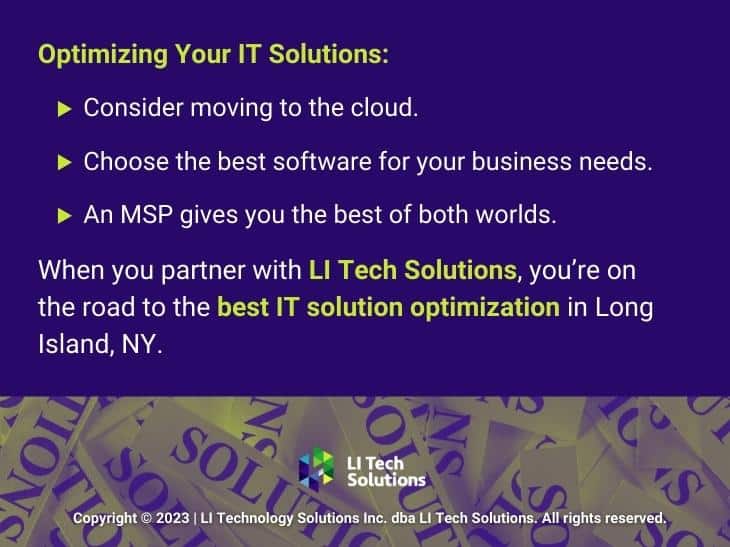
Callout 1: Cloud technology concept- quote from text about cloud computing

The State of Cloud Computing 2023

If the rail boom of the 1800s defined a century, then searching for “revolution of cloud computing” reveals something similar is happening right around us. 

First, let’s get up to speed. We all know cloud computing has made saving files much easier. Save a file to the cloud, access it somewhere else, and voila—you never have to worry about data backup

But for many of us, that’s where our knowledge ends. Let’s consider all the other ways cloud computing has had a bottom-line impact across every industry:

  • Reducing costs. File storage and additional security can consume a significant amount of server resources. If you host your own servers, that provides some advantages, like control. However, it incurs high costs on the bottom line. Security, electricity, and storage can all quickly run up if you store all your information locally. And if you don’t need to hire an MSP or additional IT technicians and security personnel to oversee your file storage, that adds up to tremendous savings on payroll.
  • Increased efficiency. There’s a reason it’s called “cloud” computing, after all. It seems like your important files are saved on some invisible “cloud.” That highlights the efficiency of cloud computing. You can outsource your file storage and security to a third-party location. This untangles your own systems, increasing your efficiency. Imagine, for example, that you didn’t need to use desks—you could just borrow a work surface whenever you needed it. That’s the kind of bottom-line efficiency you get out of cloud computing.
  • Flexibility. Switch devices? Sure. Worry about backing up your own files? Yeah, if you want to. But cloud computing’s remote security has added flexibility to our lives. We trust third-party servers to store our information. This takes a load off our minds, freeing us to focus on productive work.

That brings us to our current situation. But no matter how many “cloud computing industrial revolution” articles you might read, it still leaves one question unanswered:

Where will cloud computing take the IT solutions industry?  

Data Protection in the Cloud: Challenges and Best Practices 2024

Callout two: cloud computing and the IT solutions industry 2023- four bullet points

Cloud Computing and the IT Solutions Industry | How It Affects Businesses in Long Island, NYC

IT Solutions and cloud computing can have a love-hate relationship. Of course, cloud computing is a boon to IT Solutions providers like MSPs. They often use it themselves for the reasons we just listed. But whenever an IT technician searches for “cloud computing revolution” online, it’s not always with curiosity in mind. They might be a bit suspicious about how much cloud computing will eat into their business.

We described it as a love-hate relationship for a reason. Let’s consider all of the factors at play in 2023:

What companies can outsource, they likely have already outsourced

After all, cloud computing is not a new concept. It has been a significant portion of Microsoft’s income for some time. Even just this past quarter, headlines read: “Microsoft Cloud strength drives second quarter results.” Microsoft’s customers have already moved much of their systems and files to cloud solutions

That includes file storage, yes. But it also includes solutions like Salesforce. Entire online shops run on solutions like Shopify.

This has made the lives of IT technicians easier. After all, if there’s less IT for them to manage, then their lives are necessarily going to get easier. However, companies also utilize cloud computing to outsource some of their IT tasks. This means fewer IT technicians will be hired—there’s less to consider. 

That isn’t the only challenge, however, because IT support specialists are still necessary. They may simply be necessary to handle the more difficult tasks—the ones that aren’t so easy to outsource to cloud solutions.

“Now that the simpler projects have been established on the cloud and the companies will be shifting,” writes Analytics Insight, “the more complex applications to the cloud in the hope of even better workplace efficiency.”

Trends and Predictions in IT Outsource Services for Microsoft AI

Cloud computing makes complex tasks simpler

When cloud-based solutions are available that cost only a fraction of the price of hiring a new team, most companies opt for the former. Why wouldn’t they? Even at large-scale enterprise costs, many software solutions cost a fraction of what it would take to build out new solutions with human capital.

This means more companies are utilizing sophisticated information technology. After all, the solutions are easier to use than ever. If the average entrepreneur can figure out a complicated CRM (customer relationship management) software offering, it makes previously complex tasks simpler. This provides more opportunities for businesses to scale. The simpler it is to onboard new employees and new systems, after all, the easier it is to replicate those systems as a company grows.  

Callout three: where cloud computing takes us beyond 2023- facts from text

Where Cloud Computing Takes Us Beyond 2023 | Long Island Tech Explains

Where will cloud computing take us? It can take many different directions. 

Forbes calls these “as yet undetermined opportunities.” 

In NYC, for example, Forbes’ note on transportation is especially pertinent. “The Cloud’s infrastructure could enable the installation of a virtual computer in each car that would enable the development of Advanced Driver Assistance Systems (ADAS), where cars brake before they hit something,” writes Forbes. The minute ADAS becomes reliable enough to roll out safely, driverless cars are the next step.

Goodbye to Uber, taxi companies, and half the services in NYC and other metropolitan areas.

For the IT Solutions industry, this means information technology will become more important than ever, not less important. Yes, cloud computing could enable a veritable revolution in the way vehicles interact with the world. That’s bad news for taxi and truck drivers. But when a machine breaks down, it’s the IT professionals who have to step in.

This could also herald a revolution in e-commerce, as driverless trucks make it possible to host entire package-delivering fleets on the road without having to scale up the number of drivers hired. Delivery fees could plummet, further incentivizing customers to shop online. Once again, companies will be at the mercy of IT Solutions. They can’t afford to miss a delivery, after all.  

The Future of IT Solutions: What to Expect in 2024 and Beyond

Callout four: quote from text about importance of It services

The Cloud Computing Revolution for IT Services and MSPs on Long Island, NYC

Though cloud computing might have made software more accessible to the masses, it’s also going to expand how many businesses rely on software. Many are viewing cloud computing as the fourth industrial revolution. At LI Tech Solutions, it’s our job to anticipate these changes—and make preparations for what that means for our clients. In the world of IT Services, the skill of knowing how to repair and maintain programs will be vital in 2023 and beyond.