Microsoft 365 for Small Business: Do You Need a New Server?

If your office server is getting old, replacing it may seem like the next obvious expense. But before buying new hardware, take a closer look at what your Microsoft 365 subscription already includes. Many Long Island businesses use Microsoft 365 primarily for email and Office apps, without fully leveraging SharePoint Online, OneDrive, and Teams for everyday file sharing and collaboration.

That does not mean every server can go. The right choice depends on what your current server does, which software your employees use, and how your files are accessed.

Not sure if your business still needs a server? LI Tech Solutions can help you review your current setup and explore your options. Contact us to schedule a consultation.

Can Microsoft 365 Replace Your Small Business Server?

For some businesses, yes. Microsoft 365 for a small business can handle several tasks that once required office equipment. Exchange Online hosts business email, SharePoint Online holds shared documents, and OneDrive lets employees store and sync their own work files.

A local server may also run accounting software, databases, or other systems that cannot simply be migrated to SharePoint. That distinction matters. You might be able to retire a file server while keeping a separate system for a business application.

With the right Microsoft business support, businesses can review which existing server functions their Microsoft 365 subscription can handle before investing in replacement hardware.  

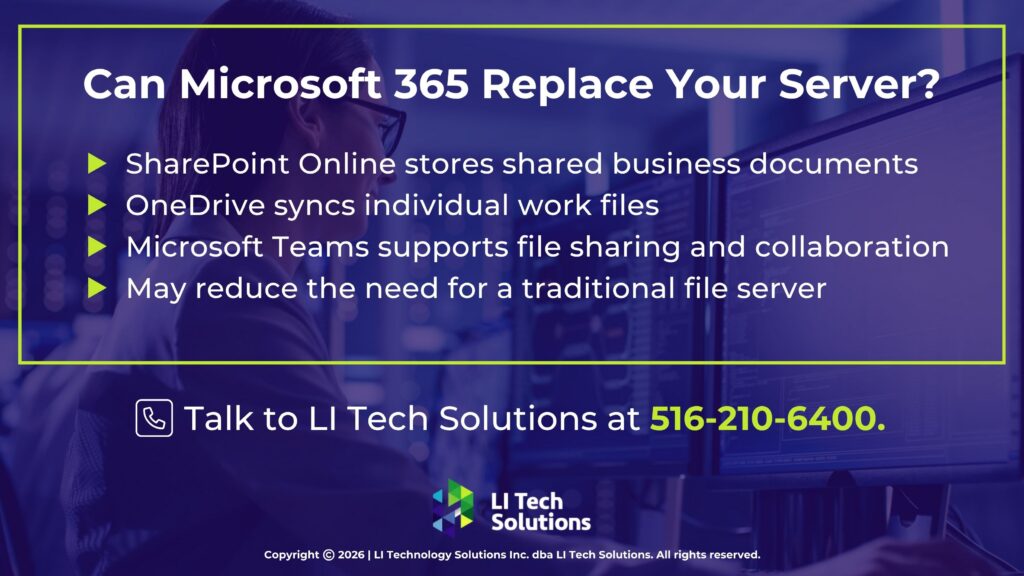
Four ways listed Microsoft 365 can replace your server.

Which Microsoft 365 Tools Can Replace a File Server?

SharePoint Online for Shared Business Documents

SharePoint Online gives employees a central place to store and work on documents. A small business can set up libraries for departments or projects, control who can access them, and track document versions.

For offices that mainly use a server as a shared folder, SharePoint may be a practical alternative.

OneDrive for Individual Work Files

OneDrive for Business is better suited to an employee’s own working files. It syncs files between the cloud and supported devices, and selected files can be kept available offline.

Employees may also access synced SharePoint libraries through File Explorer, although this is not identical to using a traditional mapped network drive.

Microsoft Teams for Collaboration

Microsoft Teams brings conversations, meetings, and shared files together. Files shared in standard Teams channels are stored in SharePoint.

This can make daily document work easier, especially for employees working from home, traveling, or collaborating across locations without relying on a traditional VPN connection to an office file server for cloud-hosted files.

These services complement one another. Choosing where files belong is part of a sound migration plan, not a detail to leave until the end.

Why Consider Cloud Solutions Instead of Another Server?

A new server involves more than the purchase price. Businesses must consider installation, maintenance, hardware failures, power use, backups, and future replacement.

Cloud solutions for small businesses can reduce some of those local responsibilities while making shared documents easier to access outside the office. Well-planned cloud infrastructure solutions can also help businesses reduce their dependence on physical office hardware.

Microsoft 365 allows employees to work together on supported files without emailing different versions back and forth. If your subscription already includes the needed services, using them more fully may prevent spending on hardware that only supports basic file sharing. Cloud subscriptions can also shift some upfront capital spending toward more predictable recurring operating expenses.

Still, cloud services are not automatically cheaper or maintenance-free. Migration, licensing, storage, backup services, employee training, security administration, and ongoing support all belong in the cost comparison. 

The goal is not to move everything online at any price. Choose the setup that makes sense for your business.  

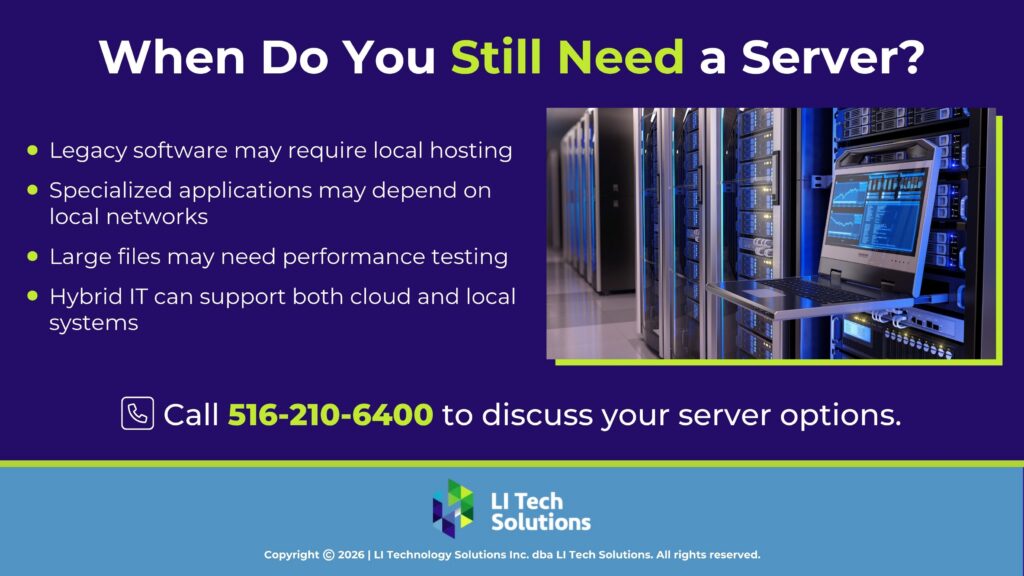
Rows of server racks in data center with laptop console showing monitoring charts. When you still need a server- 4 considerations when your business still needs a server.

When Might You Still Need a Physical Server?

Not every workload belongs in SharePoint or OneDrive. You may need local or separately hosted infrastructure if your business relies on:

  • Older accounting, inventory, or office software that requires a server or database.
  • Specialized applications that depend on local network connections.
  • Large design or engineering files that need careful performance testing.
  • Printing, identity, or other network services that have not been replaced.
  • Workflows that must continue when internet access is unreliable.

Microsoft Entra ID and, with suitable licensing, Microsoft Intune can take over some identity and device-management tasks. But they do not automatically replace every Windows Server or Group Policy function.

Sometimes a hybrid approach is the better option: move shared documents to the cloud while retaining systems that require local or dedicated hosting.

When comparing small business server alternatives, consider your software requirements, current infrastructure, and long-term costs before deciding whether to replace or retire existing hardware.

How Do You Migrate a File Server to SharePoint Online?

A Microsoft 365 cloud migration should start with an assessment, not a bulk file upload. Before making changes, planning an IT change means understanding how the move could affect your applications, files, and employees. Following Microsoft’s file-share migration guidance, businesses should also review existing files, permissions, and storage needs before moving documents to SharePoint Online or OneDrive.

A sensible process includes five steps:

  1. Inventory the server. Identify shared folders, file types, users, permissions, and software that relies on those folders.
  2. Review Microsoft 365 licensing. Confirm the services, user entitlements, storage limits, and security and device management features available in your specific plan before designing the new setup.
  3. Plan the file structure. Decide what belongs in SharePoint libraries and what belongs in individual OneDrive accounts. Rebuild access rules where needed.
  4. Test before switching. Use suitable migration tools, check that files open correctly, confirm permissions, and resolve sync issues with a small group first.
  5. Prepare and support employees. Show teams where documents live, how to access files remotely, and whom to contact for help. Continue supporting adoption after the migration.

Businesses looking to migrate a file server to SharePoint Online should also check file names, folder structures, and application dependencies. Switching off the old server before confirming those details can interrupt normal work.

LI Tech Solutions approaches cloud migration by first understanding the systems a business actually uses, then recommending a practical plan rather than a one-size-fits-all move.  

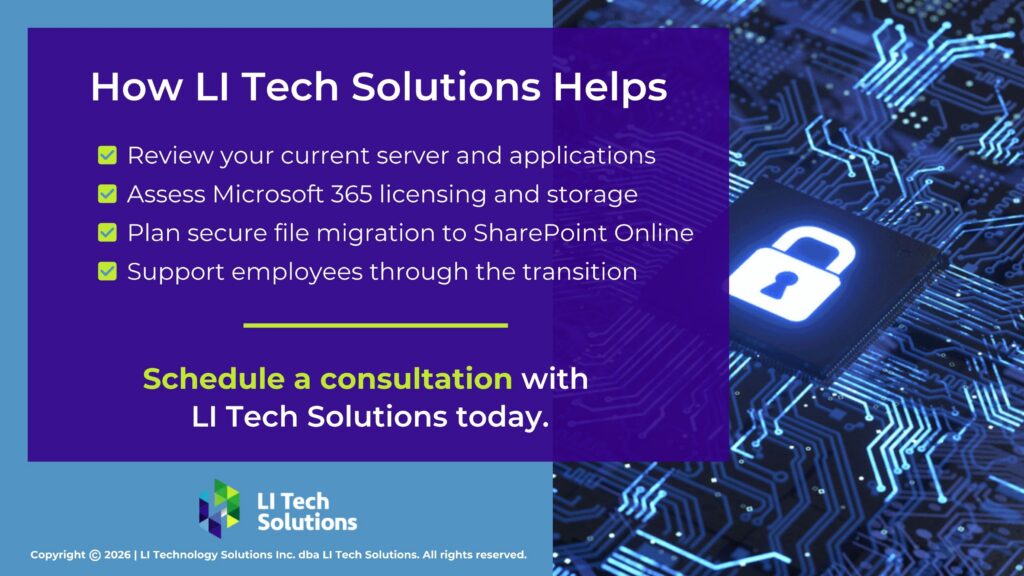
Glowing white padlock sits on microchip on circuit board. Four ways LI Tech can help.

What About Security, Backup, and File Access?

Moving files to Microsoft 365 does not remove the need for IT management. User permissions must be reviewed, multifactor authentication configured, and access updated when employees change roles or leave.

Syncing a file is not the same as maintaining an independent backup. Version history and recovery features are useful, but businesses still need a recovery plan that fits their data and risks.

A reliable approach to business data protection should include backup planning, access controls, and recovery procedures. Cloud managed services can also help keep accounts, sharing settings, and security controls under review.

Find Out Whether Your Long Island Business Needs Another Server

Before approving another hardware purchase, ask whether you are getting full value from the Microsoft 365 tools your business already pays for. 

A review of your server, software, licenses, and security requirements will show what can move and what should stay.

LI Tech Solutions provides cloud consulting services and Cloud Migration Services for organizations across Long Island, NY. We can help you assess your current environment and plan the next steps.

Before investing in another server, schedule an IT consultation with LI Tech Solutions to explore your options and make a plan that fits your business.

Is It Still Worth Buying a Server for a Small Business?

For decades, replacing an aging server with a newer one was simply part of doing business. Today, that decision deserves another look. Many small businesses already rely on Microsoft 365, SaaS applications, cloud storage, and hosted services for much of their day-to-day work, which means they may no longer need to own a physical server at all.

A physical server can still be necessary for certain specialized applications and workloads. But buying another server should no longer be the automatic next step. The better question is: What does your business actually need the server to do, and can those functions now be delivered more effectively through the cloud?

LI Tech Solutions helps Long Island businesses evaluate their current IT environment and determine whether an on-premises server, cloud solution, or hybrid setup makes sense. Not sure which option fits your business? Contact LI Tech Solutions or call us to discuss your IT needs.

Does a Small Business Need a Server?

Not every small business needs a physical server. Businesses may still need centralized file storage, shared applications, databases, user permissions, backups, and controlled access to company data, but those functions can be delivered through on-premises hardware, cloud services, or both.

The workload matters more than employee count. A small engineering firm working with large project files may have very different requirements from an office that operates mainly in Microsoft 365 and browser-based applications.

Reviewing your business IT support needs can help determine whether a server solves a real operational need.  

Four considerations listed: does your small business still need a server?

When Is Buying a Server for a Small Business Worth It?

A small business server provides shared resources to devices on a network. It may support file storage, business applications, databases, user authentication, backups, or virtual machines.

The question is not whether servers still have a purpose. It is whether owning and maintaining one is the best way to provide those functions. Managed IT services can also help businesses manage monitoring, maintenance, security, and support across their infrastructure.

Situations Where Buying a Server Makes Sense for Your Business

An on-premises server can still be a good choice when your business has a clear need to keep certain workloads local. It may make sense when:

  • Critical applications require local hosting: Some business applications are designed to run on an on-premises server.
  • Large databases need local performance: Keeping data onsite can provide faster access for certain workloads.
  • Employees regularly work with large files: Large design, engineering, or media files may perform better over a local network.
  • Internet reliability is a concern: Local systems can keep certain operations available without relying entirely on an internet connection.
  • Direct control is important: An on-premises server gives the business direct control over its hardware and local infrastructure.

Before You Replace Your Server, Ask What It Actually Does

When an aging server reaches the end of its useful life, the natural response is often to replace it. Before purchasing new hardware, first identify what the existing server actually does. Is it storing files, hosting an application, managing user access, supporting backups, or running a database?

Once those workloads are identified, each can be evaluated individually. Some may still require local infrastructure, while others may already have modern cloud-based alternatives. For businesses heavily invested in Microsoft 365 and SaaS applications, that assessment may reveal that replacing the entire physical server is unnecessary.

What Does a Cloud-Native or Server-Free Business Look Like?

A cloud-native environment may be a better fit when employees need secure access from anywhere, the business wants less physical hardware to maintain, or workloads need flexible capacity. This approach can help avoid another major hardware purchase and replacement cycle while supporting easier collaboration, scalability, and more predictable technology costs.

Many businesses are already paying for Microsoft 365, but still operate as though the office server is the center of their technology environment. Depending on their applications and workflows, SharePoint, OneDrive, Teams, and other cloud services may replace functions traditionally handled by local infrastructure. A cloud server is not the same as a cloud-native environment: moving an existing server to a hosted virtual machine relocates the infrastructure, while a server-free strategy can eliminate the need for some server workloads altogether.

Businesses considering hosted infrastructure can learn more about cloud infrastructure.  

Business IT Support

Two professionals compare on-premise server & cloud solution on dual monitors. Server vs. cloud: 5 things to compare.

Server vs. Cloud for Small Business: What Should You Compare?

When comparing an on-premises server with a cloud-native or server-free environment, look beyond the purchase price and consider the full lifecycle of each option.

Factor On-Premises Server Cloud Solution
Initial cost Higher hardware investment Usually lower hardware investment
Ongoing cost Power, maintenance, support Recurring service costs
Remote access Requires secure remote-access setup Often easier to support
Scalability Requires hardware planning Generally more flexible
Internet dependence Some workloads remain local Greater connectivity dependence
Control Direct hardware control Depends on provider/service
Hardware replacement cycle Periodic server replacement Less dependence on onsite hardware
Collaboration Often centered on the office network Designed for remote and hybrid access
Maintenance Local hardware and software upkeep Provider services plus cloud administration
Business continuity Depends on local resilience and recovery Depends on connectivity, service design, and recovery

The better choice depends on the workloads involved, performance, access, uptime requirements, support needs, security, and total business value.

If availability is an important consideration, contact LI Tech Solutions for help estimating the potential business impact of an outage.

Don’t Forget the Costs Beyond the Server

A physical server may involve hardware, licensing, installation, migration, monitoring, power, security, backups, maintenance, and eventual replacement.

Cloud services incur recurring costs for subscriptions, storage, backup, administration, and migration. An accurate comparison should consider total cost and business value rather than comparing only the price of a new server with a monthly cloud bill.

Backup and Disaster Recovery Matter Either Way

Choosing cloud infrastructure does not eliminate the need for backup and disaster recovery. RAID is not a backup, and storing production data in the cloud does not automatically create a complete recovery strategy.

A recovery plan should account for ransomware, accidental deletion, hardware failure, and outages. CISA’s ransomware guidance on backups and recovery recommends maintaining offline, encrypted backups of critical data and regularly testing their availability and integrity.

LI Tech Solutions‘ data protection services provide more information about protecting business data and planning for recovery.  

IT specialist evaluates aging server. 5 factors before replacing an aging server.

A Hybrid Setup May Be the Better Answer

Cloud-native does not have to mean eliminating every piece of local infrastructure overnight. Some businesses may still have a specialized application, a large-file workflow, or other requirements that benefit from a local server.

In those cases, LI Tech can modernize the rest of the environment while retaining the systems that genuinely need to remain onsite. Businesses using Microsoft tools can also consider how Microsoft solutions fit into a hybrid environment.

What Should a Long Island Small Business Choose?

Before buying a server, consider what applications must run, how much data is involved, who needs access, what happens during an outage, how backups will work, and who will maintain the environment.

Those answers should guide the choice between a physical server, cloud infrastructure, SaaS applications, or a hybrid model.

Is a Server for a Small Business Still Worth It?

For some small businesses, a physical server still serves an important purpose. But buying another server should no longer be an automatic decision simply because the old one is reaching the end of its life. If your business already relies heavily on Microsoft 365, SaaS applications, and cloud-based tools, this may be the right time to ask whether you need another server at all.

Before investing in new server hardware, talk with LI Tech Solutions about what your business actually needs. We can evaluate the workloads your current server supports, identify which functions can move to modern cloud platforms, and build a practical roadmap toward a more flexible, cloud-native, and potentially server-free future for your Long Island business.

Microsoft Business Applications 2026 for SMBs on Long Island

If you’re a business on Long Island or in NYC looking to better understand, adopt, or improve your use of Microsoft business applications, this article is for you. We’ll explain exactly what these tools are, how they benefit local businesses like yours, and when it makes sense to outsource support. Whether you’re managing customer data, securing remote access, or automating day-to-day workflows, the right Microsoft applications can make your operations smoother and more secure.

At LI Tech Solutions, we help Long Island organizations maximize the benefits of Microsoft 365, Dynamics, Azure, and more without the confusion or risk of going it alone. Read on to learn how these tools work and how our team can help you achieve your goals.

Need help right away? Talk to a Microsoft-certified engineer at LI Tech Solutions today.

What Are Microsoft Business Applications?

Microsoft business applications are tools designed to help companies streamline operations, improve collaboration, and securely manage data. For businesses on Long Island and in NYC, these applications support day-to-day operations, including sales, customer management, HR, and finance.

The core suite includes:

  • Dynamics 365 for CRM and ERP
  • Power Platform (Power BI, Power Apps, Power Automate)
  • Microsoft Teams and SharePoint for communication and document sharing

The most widely used Microsoft business applications in NYC companies are those that help unify systems and automate routine tasks, reducing the need for manual processes.  

Futuristic digital interface with CRM initials- Applications Core Suite includes.

Why Microsoft Business Applications Matter in 2026

In 2026, smart tools are no longer optional; they’re essential. Microsoft continues to lead with AI-powered features, such as Copilot, making tools like Dynamics and Teams smarter and more efficient. These tools now assist with writing emails, summarizing meetings, managing calendars, and generating insights without manual input, saving time and reducing repetitive work.

With more companies embracing hybrid work and distributed teams, the need for secure, scalable, and integrated cloud solutions is higher than ever. Microsoft’s cloud-first approach ensures teams can work from anywhere while maintaining productivity, security, and access to real-time data across departments.

Business Benefits for Long Island Organizations

For Long Island IT solutions seekers, Microsoft business applications offer real improvements:

  • Faster workflows: Automate tasks that slow your team down
  • Fewer errors: Integrated systems reduce data duplication and mistakes
  • Better collaboration: Teams, Outlook, and SharePoint keep staff connected even remotely
  • Improved decision-making: Access real-time data and reports to make smarter, faster business decisions
  • Stronger data security: Built-in compliance features and role-based access help safeguard sensitive information

Examples:

  • A nonprofit managing donations and outreach with Dynamics 365
  • A medical practice securing patient data while enabling remote collaboration
  • A small firm using Power BI to make smarter budgeting decisions
  • A nonprofit using our IT services for nonprofits to streamline donations and volunteer coordination through Microsoft tools.
  • A medical practice securing patient data with HIPAA-compliant IT services and Microsoft 365 collaboration tools.  

Microsoft implementation digital graphic circled by icons- Five benefits of Microsoft Business Applications.

Common Microsoft Applications for Business Needs

Many businesses inquire about the best Microsoft applications to meet their specific business needs. The following applications are trusted across industries to streamline operations and enable smart decision-making. Here are the essentials:

  • Dynamics 365: Manage customer relationships, automate invoicing, streamline operations, and track field service performance in one unified platform.
  • Power BI & Power Automate: Create real-time dashboards and automate everyday processes like approvals, reports, and alerts without writing code.
  • Microsoft 365 (Outlook, Excel, Teams): Stay productive with familiar tools, enabling communication, scheduling, file sharing, document collaboration, and secure remote work.
  • Azure Active Directory: Centralize identity and access control, enforce security policies, and manage devices across your business network.

These tools are easy to adopt, integrate with existing systems, and scale as your business grows. Whether you’re a nonprofit, healthcare provider, or small enterprise, they offer flexibility and power to support your unique needs. We also provide Microsoft 365 setup and support to help you maximize the benefits of Outlook, Excel, and Teams.

Secure Identity and Access Management with Microsoft

Secure access to data is a priority for every Long Island organization. Microsoft Identity and Access Management services help protect sensitive business information by providing centralized control over who can access what, from where, and on which devices. These services manage user permissions, enforce multi-factor authentication (MFA), and ensure that only approved devices can connect to your systems.

With Azure Active Directory (Azure AD), businesses can confidently manage identity and access in hybrid or remote environments. Whether your staff is on-site or working remotely, Azure AD provides the tools to secure every connection and user session without slowing operations. We also offer Apple MDM solutions to help businesses manage mobile access and endpoint compliance.

When to Consider Outsourcing Microsoft IT Services

Outsourcing IT can help when your internal team is stretched thin or lacks specific Microsoft expertise. Signs it’s time to consider outsourcing IT services Long Island businesses should look for include:

  • Repeated system issues or downtime
  • Delays in adopting new tools or updates
  • Security concerns that aren’t being addressed

A trusted IT partner like LI Tech Solutions is here to help with licensing, system integration, Microsoft app support, and compliance readiness. Discover how our managed IT services can enhance your team’s capabilities and support your internal operations.  

Microsoft 365 for Small Business: Do You Need a New Server?

LI Tech Solutions offers services as a Microsoft business partner.

LI Tech Solutions: Your Microsoft Partner on Long Island

LI Tech Solutions provides Microsoft partner services that Long Island businesses can count on. We offer:

  • Personalized onboarding with real engineers
  • Microsoft 365 and Dynamics 365 migration and customization
  • Identity management, security configuration, and user support
  • HIPAA-compliant setups for healthcare, nonprofits, and other regulated industries

We’re based in Long Island and available for in-person support throughout the NYC metro area, including Queens, Brooklyn, and nearby business hubs. Our team provides on-site consultations, setup, and ongoing support, so you don’t have to rely on remote-only or outsourced help. As a local provider, we understand the specific needs and compliance standards of businesses operating in this region. We prioritize building long-term relationships with our clients through responsive, face-to-face service. Contact us today to schedule a consultation or learn more about how we can support your business.

Get Expert Support for Microsoft Business Applications

Looking to upgrade your systems or adopt Microsoft business applications for the first time? LI Tech Solutions can help you assess your current setup, select the best-fit tools, and ensure everything integrates smoothly with your business goals.

We believe in local, transparent support, not offshore call centers or vague pricing. You get guidance from professionals who understand Long Island businesses and their real-world IT needs. Ready to streamline your tech stack? Talk to a Microsoft-certified engineer today and see firsthand how trusted, local support from LI Tech Solutions can make a difference for your business.